
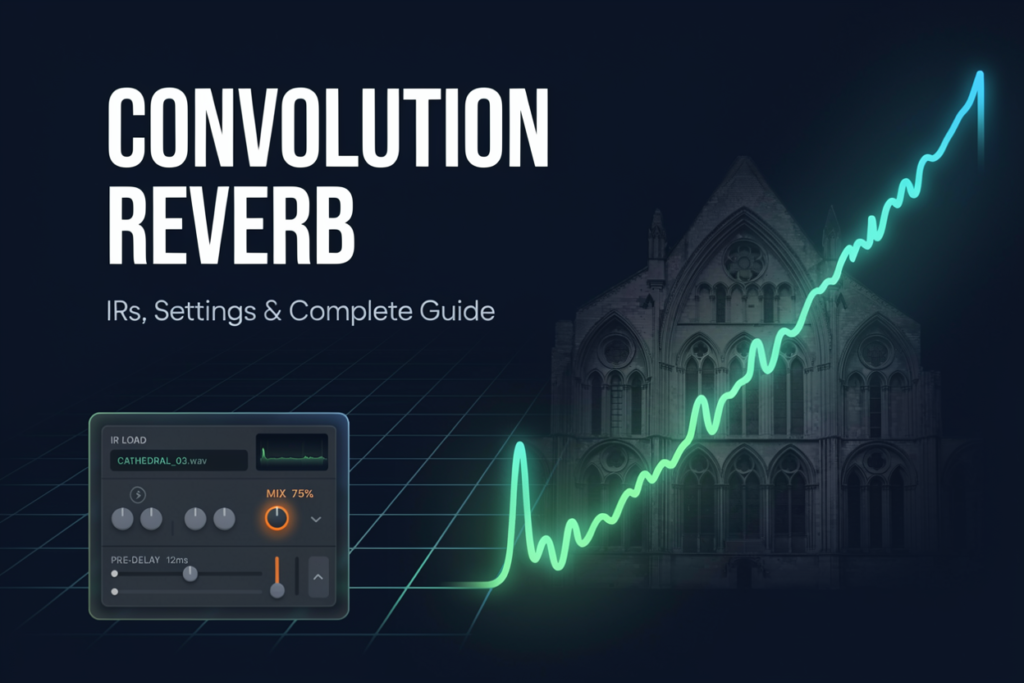
Convolution reverb is a digital effect that applies an impulse response to an audio signal through mathematical convolution. The impulse response captures the reflections, decay, and tonal character measured at a particular position in a room or audio system, allowing that response to be applied to vocals, instruments, and other recordings.
What Is Convolution Reverb?
Convolution reverb recreates the measured response of a space or audio system by processing incoming sound with an impulse response, usually called an IR. If you want a broader foundation first, this guide to what reverb is explains how direct sound, early reflections, and the later decay combine.
What Does an Impulse Response Contain?
An impulse response is a recording of how a system reacts to a short, broadband test signal. For a room, the IR can contain the arrival of the direct test sound, early reflections from nearby surfaces, a dense reverb tail, and the frequency coloration produced by the room, speaker, microphones, and signal chain.
An IR can also capture a plate or spring reverb, an equalizer, or a speaker cabinet.
Why Is an IR Only a Snapshot?
One room can produce many different impulse responses. Moving the source, changing the microphone position, selecting another microphone pattern, or altering the room can produce a different measurement.
An IR therefore represents one source-to-listener path under one set of conditions, not a complete three-dimensional room model.
How Does Convolution Reverb Work?
Convolution combines the input signal with the impulse response sample by sample. In practical terms, every moment of the dry recording triggers a scaled copy of the IR, and the overlapping copies create the captured pattern of reflections, decay, and tone.
How Does the Signal Become Reverberant?
Every moment of the dry recording triggers a scaled copy of the IR. The overlapping early reflections and quieter later values create the captured room response. This differs from algorithmic reverb, which synthesizes a tail with delays, filters, feedback, diffusion, and often modulation.
How Are Impulse Responses Captured?
Room IRs are commonly captured by playing a logarithmic sine sweep through a speaker, recording it with microphones, and using deconvolution to derive the response. A sharp transient can also excite a room, although a controlled sweep usually provides a better signal-to-noise ratio.
What Does Deconvolution Do?
Deconvolution mathematically separates the known sweep from the recording, leaving the system’s impulse response.
The IR is then trimmed and exported for a compatible convolver.
Why Do Speaker and Microphone Positions Matter?
The speaker determines where the test sound originates, while microphones determine where the response is observed. A close microphone may emphasize direct sound; a distant position may capture a wetter balance.
Convolution Reverb vs. Algorithmic Reverb: What Is the Difference?
Convolution applies a measured impulse response, while algorithmic reverb generates reflections with delays and filters. Convolution provides a specific acoustic character; algorithmic processing generally offers greater control.
| Criterion | Convolution reverb | Algorithmic reverb |
|---|---|---|
| Sound source | Recorded or designed impulse response | Synthesized delay and feedback network |
| Realism | Strong for the captured perspective | Depends on the algorithm and settings |
| Editing freedom | Constrained by the IR and available controls | Usually highly adjustable |
| Modulation | A static IR cannot capture ongoing movement | Can generate continuously changing tails |
| Processing | Can be demanding with long, multichannel IRs | Varies with algorithm complexity |
| Best use | Specific rooms, hardware responses, consistent placement | Flexible mixing, automation, and creative spaces |
When Is Convolution Reverb the Better Choice?
Choose convolution when a particular acoustic identity matters. It can place replacement dialogue in a matching location or give separate orchestral microphones a shared concert-hall character.
When Does Algorithmic Reverb Offer More Control?
Algorithmic reverb is easier to reshape when a mix needs a precise decay time, modulation, or extensive automation. It can create plausible spaces without copying a measured location.
Neither category is universally better. The overview of different reverb types can help you choose by musical role rather than by realism alone.
What Controls Matter in a Convolution Reverb?
The IR selection has the greatest influence, but timing, filtering, width, and wet/dry balance determine how well the response fits a mix.
| Control | What it changes | Practical effect |
| IR selection | Captured space or system | Sets the main reflection pattern and tone |
| Start position | Beginning of the IR | Removes silence, direct sound, or early reflections |
| Length or envelope | Duration of the response | Shortens ambience or reshapes the decay |
| Pre-delay | Gap before the wet response | Separates the source from the reverb onset |
| High-pass and low-pass filters | Frequency range of the wet signal | Reduces rumble, brightness, or masking |
| Stereo width | Left-right spread | Narrows or expands the perceived space |
| Wet/dry mix | Reverb-to-source balance | Controls apparent distance and prominence |
How Do Trimming and Stretching Change an IR?
Trimming silence from the beginning may improve timing, but cutting into early reflections changes the perceived geometry. Shortening the end reduces decay, while time-stretching can create a larger or more artificial impression.
Pre-delay can create separation without deleting the captured early response. A longer gap can keep a vocal or drum transient clear, but too much may make the reverb sound detached.
How Does EQ Help an IR Fit the Mix?
An authentic room response is not automatically right for every arrangement. High-pass filtering can prevent low-frequency buildup, while low-pass filtering can move the reverb behind the dry source.
This guide to reverb frequency response explains why decay varies across the spectrum.
How Do You Use Convolution Reverb in a Mix?
Use convolution reverb by choosing an IR for a clear musical role, setting its timing and tone in context, and then raising the return only until the intended depth becomes audible. A practical workflow is:
- Decide whether you need realism, shared ambience, tonal coloration, or an obvious effect.
- Audition a small number of relevant IRs with the complete mix playing.
- Set the pre-delay and trim the IR only if the source loses clarity.
- Filter the wet signal to prevent low-end buildup or excessive brightness.
- Adjust the send or wet level at the final listening volume.
- Check the result in mono and bypass it periodically to judge masking.
An auxiliary send lets several tracks share one IR with independent send levels. This can create cohesion, but identical settings on everything may flatten front-to-back depth.
For broader routing and parameter guidance, see DAW reverb settings and these practical approaches to mixing reverb.
What Are the Strengths and Limitations of Convolution Reverb?
Convolution reverb reproduces the measured timing and tonal signature of a real room or largely linear system. It can place multiple recordings in a consistent acoustic setting and also supports experimental IRs.
Its realism has boundaries. Standard convolution assumes a linear, time-invariant system. A static IR cannot fully reproduce modulation, level-dependent distortion, moving listeners, or every nonlinear behavior of vintage hardware. Long multichannel responses can also increase CPU and memory demands.
Compare this approach with the design goals of room reverb.
Frequently Asked Questions About Convolution Reverb
Is convolution reverb more realistic than algorithmic reverb?
Convolution can be more accurate for one measured acoustic perspective. Algorithmic reverb may sound equally convincing in a mix and usually offers more control over decay, density, modulation, and size.
What information does an impulse response capture?
An impulse response captures timing, level, and frequency coloration from a specific source position to a specific microphone position. For a room, that includes early reflections and later decay.
Can you create your own convolution reverb impulse response?
Yes. A common method plays a sine sweep through a speaker, records the response, and uses deconvolution software to extract the IR. Clean gain staging and documented placement improve repeatability.
Why can’t one impulse response capture an entire room?
An IR measures one set of source, microphone, and room conditions. Moving the source or listener changes the reflection paths and frequency response, so representing many positions requires multiple measurements or a more advanced spatial model.
Does convolution reverb cause latency?
Convolution can add latency when processing is performed in blocks, but the amount depends on the implementation and its partition settings. Many real-time convolvers use partitioned processing to keep perceived latency low while handling long IRs efficiently.
Can convolution reproduce vintage reverb hardware accurately?
Convolution can capture the linear tonal and time response of vintage hardware at a particular setting. A static IR cannot fully reproduce modulation, saturation, distortion, or behavior that changes with input level, so the result may not duplicate every characteristic of the original device.

Noah Bennett is an audio engineering writer and acoustics specialist at Reverb Calculator. He focuses on reverb time calculation, room acoustics, studio sound design, and music production tools for producers, audio engineers, musicians, and home studio creators.